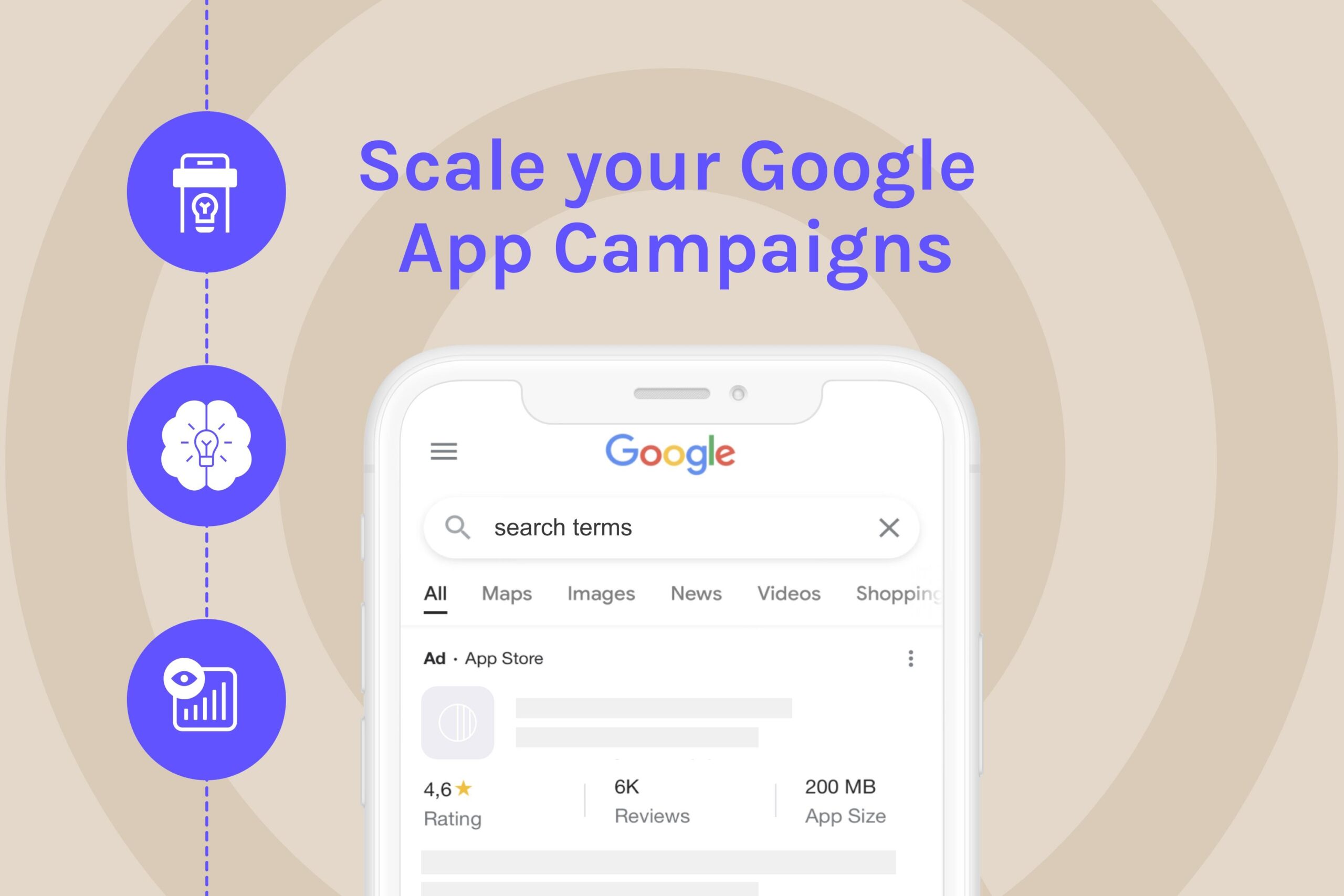
Promoting Android apps effectively with Google App Campaigns is the optimal method to reach millions of potential users across Google's entire ecosystem through machine learning-powered automated optimization, multi-channel distribution across Search, Play Store, YouTube, Display Network, and Discover, combined with advanced targeting capabilities specifically designed for mobile app marketing. Specifically, Google App Campaigns leverage artificial intelligence to automatically optimize ad placements, creative formats, and bidding strategies to maximize app installs and valuable conversions. Most importantly, this advertising solution delivers superior reach and effectiveness for Android developers seeking scalable user acquisition with measurable ROI.
To succeed with Google App Campaigns, you need to understand what App Campaigns are and how they work within Google's advertising ecosystem, determine whether they're suitable for your app's specific marketing objectives, and master the core setup requirements including account linking, tracking implementation, and creative asset preparation. Additionally, you must follow the complete step-by-step campaign creation process from objective selection to launch, choose the optimal campaign type and bidding strategy aligned with your acquisition goals, and apply proven optimization and scaling techniques to maximize performance and return on ad spend. Furthermore, understanding advanced strategies, common challenges, and alternative approaches will help you navigate effectively in the competitive mobile app marketing landscape.
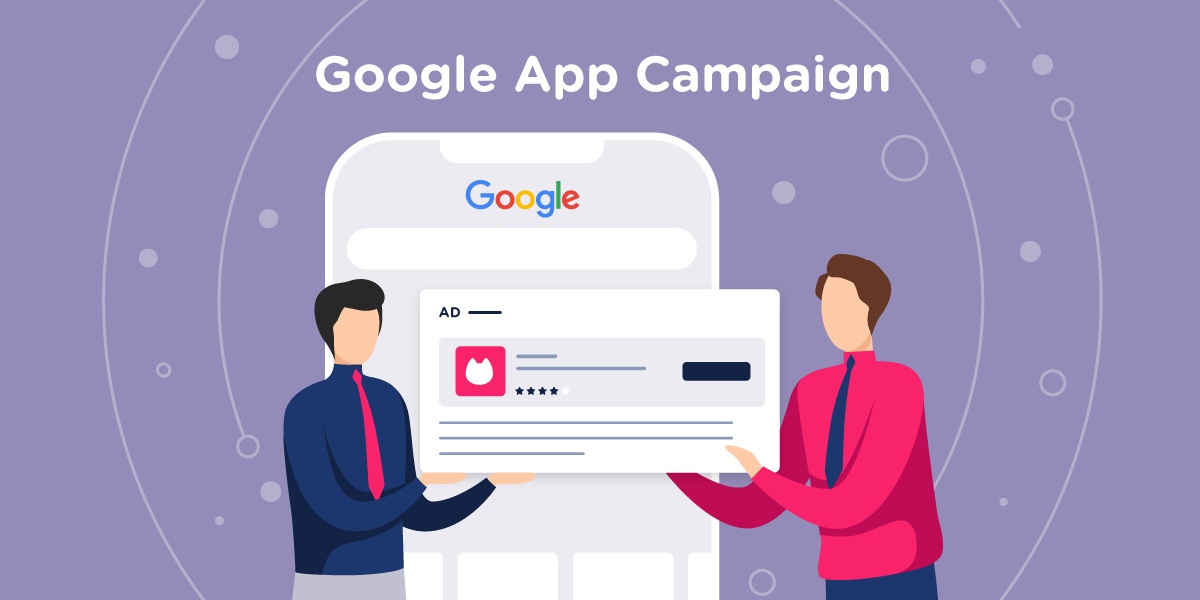
Google App Campaigns are automated advertising solutions that use machine learning to promote Android apps across Google's entire network including Search, Play Store, YouTube, Display, and Discover, optimizing for install, in-app action, or revenue goals through intelligent bidding and creative testing.
Specifically, Google App Campaigns represent a fundamental evolution in mobile app marketing, shifting from manual campaign management to AI-driven automation that continuously learns and optimizes based on user behavior patterns and conversion data. Particularly, the 2025 version integrates advanced privacy-first tracking mechanisms, enhanced creative formats, and improved attribution models to comply with evolving data protection regulations while maintaining advertising effectiveness.
The core functionality revolves around Google's machine learning algorithms analyzing millions of signals including user demographics, device characteristics, app usage patterns, and contextual relevance to determine optimal ad placements and bidding strategies. Moreover, these campaigns automatically test different combinations of provided creative assets (text, images, videos) to identify the highest-performing variations for different audience segments and placement contexts.
Google App Campaigns in 2025 feature Privacy Sandbox integration for cookieless tracking, enhanced AI-powered creative optimization, expanded YouTube Shorts placements, improved cross-device attribution, and advanced fraud detection capabilities compared to previous versions.
Specifically, the 2025 updates focus heavily on privacy-compliant measurement solutions, integrating Google's Privacy Sandbox technologies to maintain targeting effectiveness while respecting user privacy preferences. Particularly, new AI capabilities can automatically generate creative variations, optimize video thumbnails, and personalize ad messaging based on user intent signals without relying on individual user tracking.
The platform now includes deeper integration with Google Analytics 4 and Firebase, providing more comprehensive attribution insights and allowing marketers to optimize for complex conversion events beyond simple app installs. More importantly, enhanced machine learning models can predict user lifetime value more accurately, enabling sophisticated bidding strategies focused on long-term app success rather than just initial acquisition metrics.
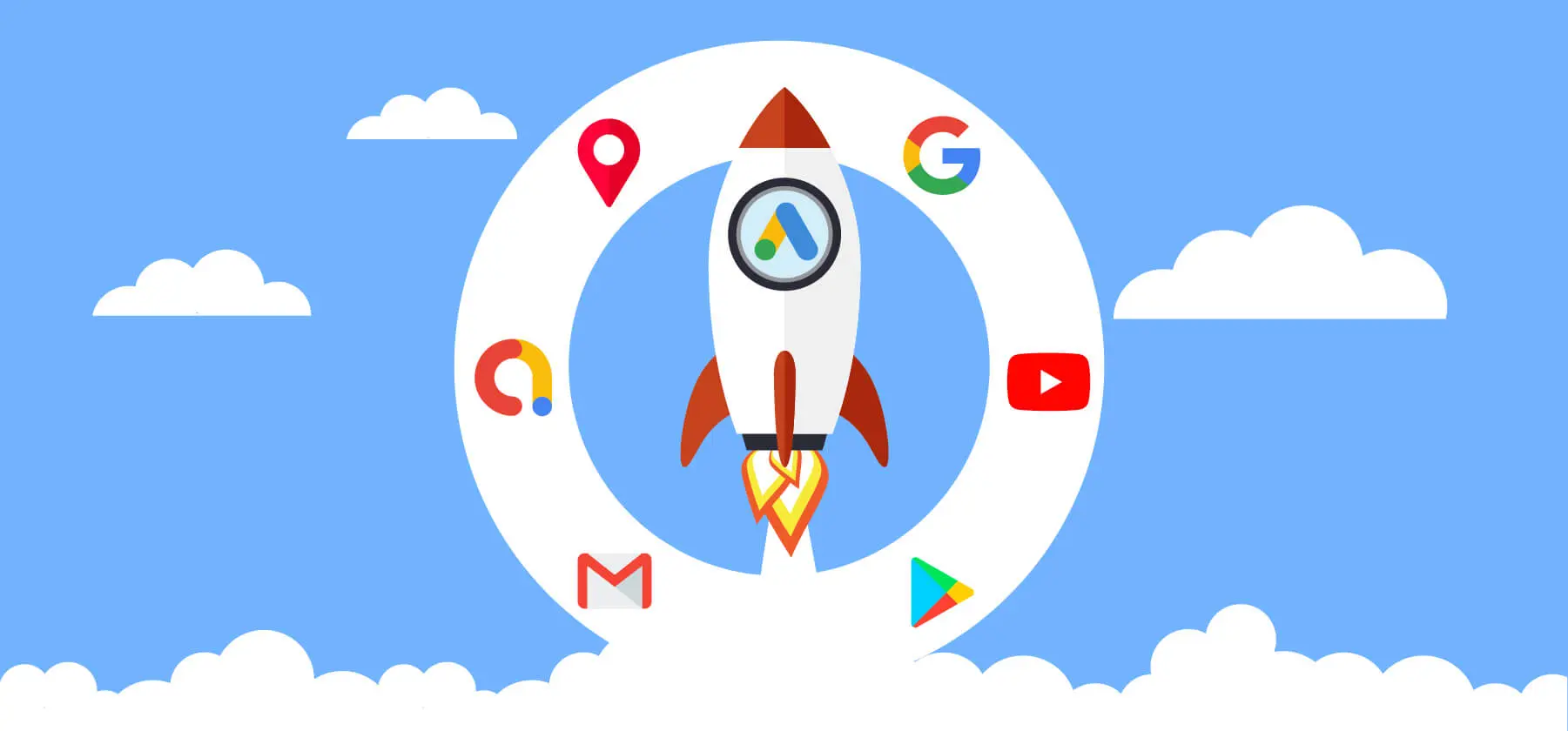
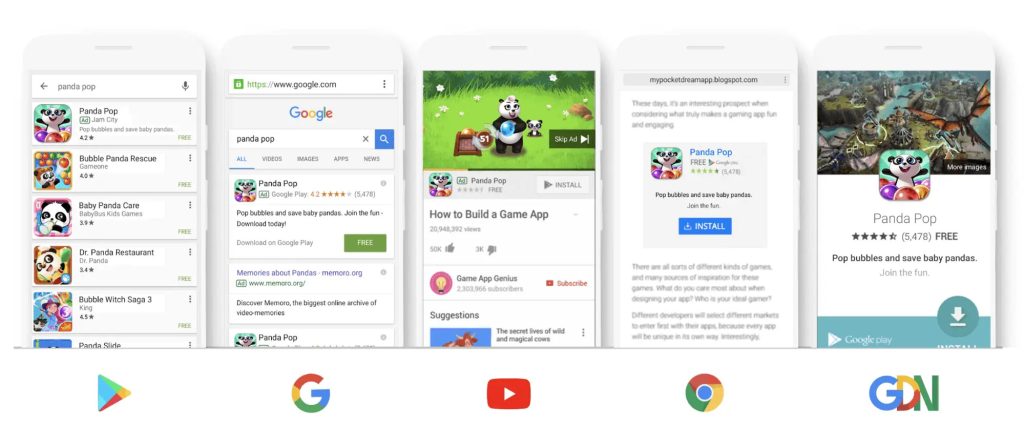
Google App Campaigns reach five primary networks: Google Search (including app-specific queries), Google Play Store (search results and browse sections), YouTube (including Shorts and main feed), Google Display Network (mobile websites and apps), and Discover feed (personalized content recommendations).
Below are the specific placement opportunities across Google's ecosystem:
According to Google's research on App Campaign performance, campaigns utilizing all available networks achieve 40% higher conversion rates compared to single-network campaigns, demonstrating the value of cross-network reach for comprehensive user acquisition strategies.
Yes, you should use Google App Campaigns when your app has proper tracking implementation, sufficient budget for machine learning optimization, and clear conversion goals, but avoid them for brand-new apps lacking baseline data, extremely niche markets, or limited budgets under $1,000 monthly.
Next, the decision to implement Google App Campaigns depends on several critical factors including app maturity stage, available marketing budget, technical readiness, and competitive landscape positioning. Particularly, apps with established user bases, proven conversion funnels, and adequate tracking infrastructure typically achieve the best results from automated campaign optimization.
Specifically, Google App Campaigns work best for apps that have achieved product-market fit, possess clear monetization strategies, and can provide sufficient conversion data for machine learning algorithms to optimize effectively. Furthermore, the platform's automation requires minimum conversion volumes to function optimally, making it less suitable for very early-stage apps or specialized applications with limited target audiences.
Your Android app is ready for Google App Campaigns if it has proper Firebase Analytics or third-party tracking implementation, at least 50-100 daily organic installs, clearly defined conversion events, completed Google Play Console integration, and compliance with Google Ads policies.
Specifically, technical readiness includes several critical components that must be properly configured before launching campaigns. First, the app must have robust analytics tracking that can accurately measure and report conversion events to Google Ads, allowing machine learning algorithms to optimize toward meaningful business outcomes rather than just install volume.
Minimum data requirements include having sufficient organic user acquisition to establish baseline conversion patterns, typically requiring at least 30-50 conversions daily across target events. Particularly, apps lacking adequate organic traction often struggle with campaign performance because machine learning systems lack sufficient signals to identify high-value user characteristics and optimize bidding accordingly.
Key readiness indicators include:
Google App Campaigns excel in automated optimization and cross-network reach, Meta Ads (Facebook/Instagram) lead in detailed demographic targeting and social engagement, while TikTok Ads dominate creative-driven campaigns for younger demographics, and Apple Search Ads provide the highest-intent iOS traffic.
Meanwhile, each platform brings distinct advantages based on target audience, creative capabilities, and campaign objectives. Specifically, Google's strength lies in capturing users across the entire customer journey from awareness (YouTube, Display) to high-intent moments (Search, Play Store), while competitors often excel at specific stages or demographics.
Platform comparison breakdown:
According to AppsFlyer's Mobile Attribution and Marketing Analytics report, Google App Campaigns achieve the highest average retention rates (Day 7: 23%, Day 30: 12%) among major mobile advertising platforms while maintaining competitive cost-per-install rates across most app categories.
Essential setup requirements include linking Google Play Console with Google Ads account, implementing Firebase Analytics or approved third-party tracking, preparing creative assets (text, images, videos), ensuring app store optimization compliance, and configuring conversion tracking for meaningful business events.
Below, we'll explore each critical setup component that determines campaign success and optimization effectiveness. Particularly, proper initial configuration prevents common issues that can significantly impact campaign performance and data accuracy throughout the campaign lifecycle.
Link Google Play Console with Google Ads by accessing Google Ads account settings, selecting "Linked accounts," choosing "Google Play," entering developer account email, accepting permissions, and verifying connection through Google Play Console's "Monetization" section.
Specifically, the account linking process establishes the necessary data connection between app performance metrics and advertising campaigns, enabling automatic optimization based on app store data and user behavior patterns. To begin, ensure you have administrative access to both accounts before initiating the linking process.
Step-by-step linking process:
Common troubleshooting issues include permission mismatches, multiple developer accounts, and delayed data synchronization, which can typically be resolved through proper account verification and waiting for system updates.
Optimal tracking requires Firebase Analytics implementation with custom conversion events, Google Analytics 4 integration for advanced reporting, proper attribution window configuration (1-day view, 7-day click), and third-party Mobile Measurement Partner (MMP) setup for comprehensive attribution analysis.
Specifically, comprehensive tracking infrastructure enables precise measurement of user acquisition costs, lifetime value, and campaign effectiveness across different user segments and acquisition channels. Particularly, proper event tracking allows machine learning algorithms to optimize for business-relevant outcomes rather than just install volume.
Essential tracking components:
Advanced tracking considerations include implementing enhanced ecommerce tracking, setting up audience segments for remarketing, configuring funnel analysis for conversion optimization, and establishing cohort analysis for long-term performance evaluation.
Create your first Google App Campaign by choosing the appropriate campaign objective (App Installs, In-app Actions, or App Pre-registration), configuring targeting and budgets, uploading creative assets, setting bidding strategy, and launching after thorough review and optimization setup.
Below, we'll walk through the complete campaign creation workflow with specific recommendations for each configuration step to ensure optimal performance from launch. Particularly, following proper sequence and best practices in initial setup significantly impacts long-term campaign success and optimization potential.
Choose App Installs campaigns for volume-focused acquisition, In-app Actions campaigns for quality users completing valuable actions, App Pre-registration for upcoming launches, and Value-based campaigns for revenue optimization based on primary business objective and app maturity stage.
Specifically, campaign objective selection fundamentally determines how Google's machine learning algorithms optimize campaigns and which user signals receive priority in the bidding process. To illustrate, choosing the wrong objective can result in acquiring users who install but never engage, or focusing on engagement without sufficient install volume.
Objective comparison and selection criteria:
Decision framework considerations include current app lifecycle stage, available tracking infrastructure, historical conversion data volume, and primary business metrics (volume vs. quality vs. revenue).
Optimal targeting combines broad geographic reach with demographic filters relevant to app category, interest-based targeting aligned with user behavior patterns, and custom audiences based on existing user data, while avoiding overly narrow targeting that limits machine learning optimization.
Meanwhile, Google App Campaigns perform best with relatively broad targeting parameters that allow machine learning algorithms sufficient audience scope for optimization, rather than restrictive manual targeting that can limit performance potential. Specifically, the platform's AI excels at identifying high-value users within broader audiences based on behavioral signals and conversion patterns.
Recommended targeting approach:
Advanced targeting strategies include using similar audiences based on best customers, implementing demographic bid adjustments rather than exclusions, and leveraging geographic performance data for budget allocation optimization.
Set optimal budgets by calculating target cost-per-install based on user lifetime value, starting with daily budgets 10-20x target CPI to allow machine learning optimization, choosing Target CPI for install volume or Target ROAS for revenue optimization, and planning for 2-4 week learning phases.
Specifically, budget and bidding configuration directly impacts campaign performance, optimization speed, and overall return on investment, making them among the most critical decisions in campaign setup. Particularly, insufficient budgets can prevent machine learning algorithms from gathering adequate data for optimization, while overly aggressive bidding can exhaust budgets on low-quality traffic.
Bidding strategy selection criteria:
Learning phase considerations include allowing 2-4 weeks for initial optimization, avoiding frequent bid changes during learning, monitoring performance trends rather than daily fluctuations, and maintaining consistent budgets during optimization periods.
High-performing creative assets include compelling text ads with clear value propositions, high-quality images showcasing app functionality, engaging video content demonstrating user benefits, and HTML5 playable ads for gaming apps, all optimized for mobile viewing and aligned with the app's core value proposition.
Below, we'll examine specific creative requirements and best practices to maximize engagement rates and conversion performance across Google's various placement networks. Particularly, creative quality significantly impacts both campaign performance and cost efficiency, as higher-quality ads typically achieve better placements and lower costs.
Creative asset requirements and optimization:
Creative testing strategies include providing diverse asset variations, regularly refreshing creative content, analyzing performance by placement and audience, and maintaining consistent brand messaging across all formats.
Choose Install campaigns with Target CPI bidding for volume-focused acquisition, In-app Action campaigns with Target CPA bidding for quality optimization, and Value-based campaigns with Target ROAS bidding for revenue maximization, based on app maturity stage, available data, and primary business objectives.
Next, understanding the nuanced differences between campaign types and optimal bidding strategies enables more effective budget allocation and performance optimization aligned with specific business goals. Particularly, misalignment between campaign type and bidding strategy can result in suboptimal performance and inefficient budget utilization.
Use Install campaigns when launching new apps, focusing on brand awareness, lacking sufficient conversion data, or prioritizing volume growth, while In-app Action campaigns work best for established apps with clear conversion events, adequate tracking data, and quality-focused acquisition strategies.
Meanwhile, the decision between campaign types should align with the app's current lifecycle stage and available optimization data, as each type requires different data foundations to perform effectively. Specifically, Install campaigns optimize for users most likely to download the app, while In-app Action campaigns optimize for users likely to complete valuable actions after installation.
Install Campaign scenarios:
In-app Action Campaign scenarios:
Performance comparison data shows In-app Action campaigns typically achieve 25-40% higher Day 7 retention rates but 15-30% higher cost-per-install compared to Install campaigns, reflecting the quality vs. volume trade-off.
Choose Target CPI bidding when optimizing for install volume with known acceptable costs, focusing on user acquisition scale, or lacking sufficient revenue data, while Target ROAS bidding works best for apps with established monetization, adequate conversion volume, and clear revenue optimization goals.
Specifically, bidding strategy selection impacts both campaign performance and optimization direction, requiring careful consideration of available data, business objectives, and risk tolerance. Particularly, Target ROAS bidding requires sophisticated tracking and sufficient conversion volume to function effectively, making it unsuitable for many early-stage apps.
Target CPI bidding advantages:
Target ROAS bidding advantages:
Implementation requirements for Target ROAS include minimum 50 conversions per week, accurate revenue tracking, stable conversion patterns, and sufficient budget flexibility for optimization periods.
Optimize App Campaigns through systematic performance monitoring, creative testing and rotation, audience expansion strategies, and budget scaling based on performance data, while maintaining focus on key metrics like retention rates, cost-per-acquisition, and return on ad spend rather than just install volume.
Below, we'll explore comprehensive optimization strategies to maximize campaign performance while scaling efficiently to achieve sustainable growth and profitability. Particularly, successful optimization requires balancing multiple metrics and maintaining a long-term perspective rather than reacting to short-term fluctuations.
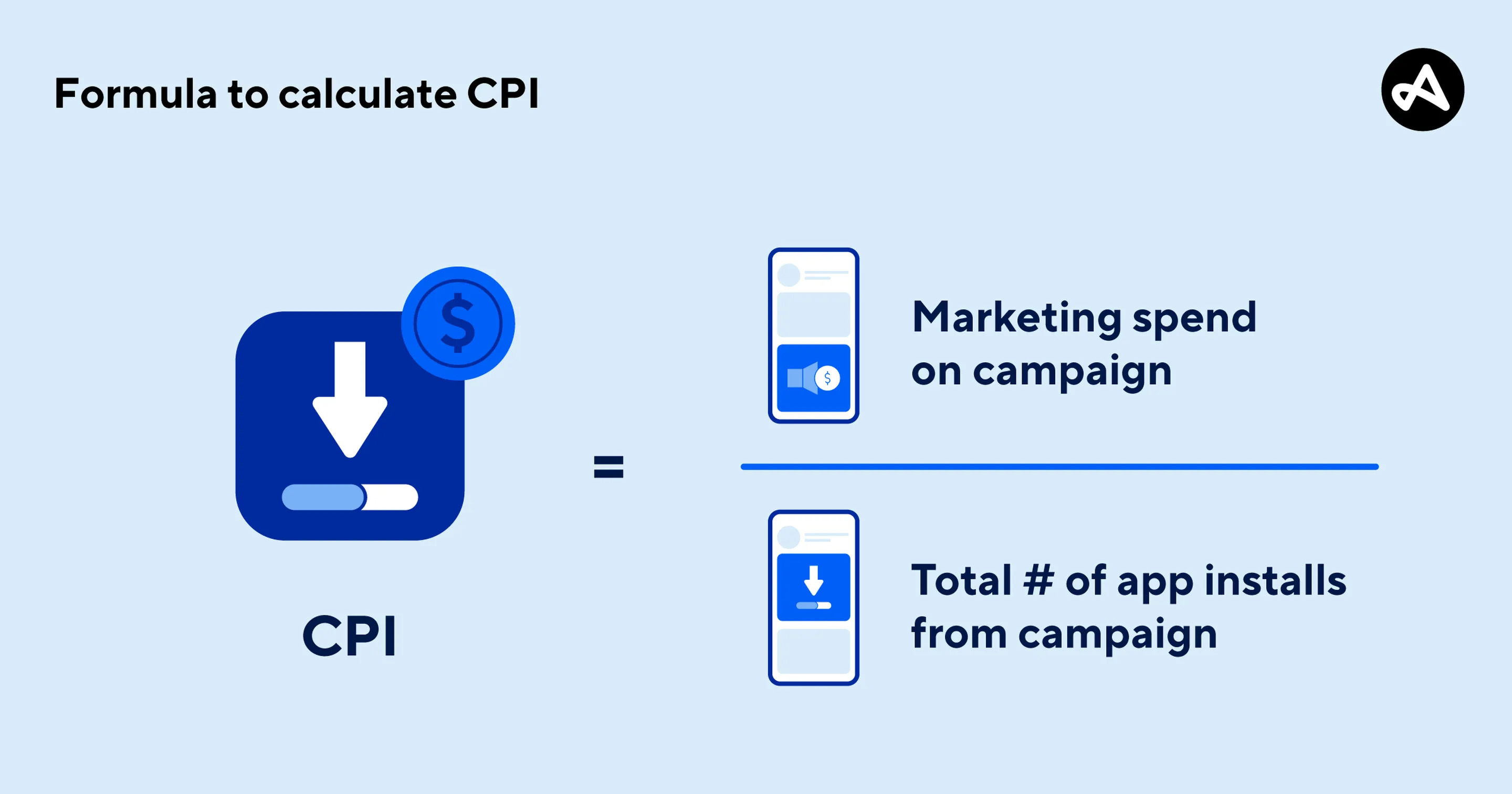
Track primary metrics including cost-per-install (CPI), install conversion rate, Day 1/7/30 retention rates, cost-per-acquisition (CPA) for key events, return on ad spend (ROAS), and lifetime value (LTV) to revenue ratio, focusing on business-relevant outcomes rather than vanity metrics.
Specifically, comprehensive performance measurement requires tracking metrics across the entire user journey from initial ad exposure through long-term app engagement and monetization. Particularly, focusing solely on install metrics without considering post-install performance can lead to acquiring low-quality users who don't contribute to business objectives.
Primary performance metrics:
Advanced tracking considerations include cohort analysis for long-term performance evaluation, attribution modeling for cross-channel impact assessment, and incrementality testing to measure true campaign effectiveness beyond last-click attribution.
Implement creative testing by maintaining 4-6 diverse creative assets per campaign, rotating new creatives every 2-3 weeks, analyzing performance by placement and audience segment, removing underperforming assets after statistical significance, and continuously developing new creative concepts based on performance insights.
Meanwhile, systematic creative testing prevents ad fatigue, maintains engagement rates, and identifies high-performing creative elements that can be scaled across campaigns. Specifically, creative performance varies significantly across different placements and audiences, requiring segmented analysis rather than overall campaign averages.
Creative testing framework:
Creative performance benchmarks include monitoring click-through rates by placement, conversion rates by creative type, and engagement metrics for video assets, with typical refresh cycles showing 15-25% performance improvement when implemented systematically.
Maintain performance while scaling through gradual budget increases (20-30% weekly), geographic expansion to similar markets, audience broadening with performance monitoring, campaign duplication for testing, and creative asset expansion to prevent saturation and ad fatigue.
Specifically, successful scaling requires balancing growth ambitions with performance maintenance, as aggressive scaling can disrupt machine learning optimization and reduce overall campaign efficiency. Particularly, maintaining performance during scaling requires a systematic approach and continuous monitoring to identify and address performance degradation early.
Scaling methodology:
Performance maintenance strategies include establishing clear performance thresholds for scaling decisions, implementing automated rules for budget adjustments, and maintaining control campaigns for performance comparison during scaling phases.
Android marketers should consider advanced optimization techniques like AI-powered creative generation, address common pitfalls including tracking errors and policy violations, understand privacy evolution impacts from iOS 14.5+ and Privacy Sandbox, and explore complementary channels like ASO and influencer marketing to create holistic user acquisition strategies.
Additionally, evaluating alternatives and understanding challenges helps developers make informed decisions about architecture choices and avoid common mistakes in native Android development. Particularly, emerging technologies like machine learning automation and privacy-first measurement are reshaping the mobile app marketing landscape, requiring marketers to adapt their strategies accordingly.
The five most common mistakes that reduce App Campaign effectiveness are improper tracking setup, creative fatigue, budget management issues, targeting mistakes, and premature optimization during learning phases, which can prevent campaigns from reaching full potential and waste advertising spend.
Specifically, these mistakes include:
Prevention strategies include thorough testing before launch, following Google's best practice guidelines, allowing sufficient learning periods, and implementing systematic monitoring processes.
Google Ads and Google Play policies directly affect App Campaign success by governing ad content, app behavior, and data collection methods, with policy violations potentially resulting in ad disapprovals, account suspensions, or app removals from Play Store.
Specifically, key policy areas include:
Compliance strategies include regular policy reviews, implementing privacy-by-design principles, maintaining high app quality standards, and establishing legal review processes for marketing materials.
Privacy Sandbox and iOS 14.5+ significantly impact App Campaign measurement by limiting individual user tracking capabilities, shifting toward aggregated data solutions and modeling-based attribution, requiring marketers to adapt measurement strategies to maintain campaign effectiveness in a privacy-first environment.
Specifically, these impacts include:
Adaptation strategies include implementing first-party data collection, utilizing Google's Privacy Sandbox APIs, focusing on conversion modeling, and developing incrementality testing frameworks.
Effective alternatives and complementary strategies include App Store Optimization (ASO) for organic discovery, influencer marketing for authentic engagement, other advertising platforms for expanded reach, and organic growth tactics to create a comprehensive user acquisition ecosystem beyond paid advertising.
To maximize effectiveness, combine these approaches:
Integration strategies include coordinating messaging across channels, sharing performance data between platforms, optimizing landing experiences for different traffic sources, and maintaining consistent brand experience.
Five emerging trends will shape App Campaigns: advanced AI automation for creative generation and bidding optimization, privacy-first measurement solutions, immersive ad formats like AR/VR experiences, cross-platform attribution improvements, and predictive analytics for user lifetime value optimization.
Specifically, these trends include:
Preparation strategies include staying updated with platform developments, testing new features early, investing in first-party data capabilities, and developing flexible campaign structures that can adapt to technological changes.
In summary, to promote Android apps effectively with Google App Campaigns in 2025, marketers need to establish solid technical foundations, choose appropriate campaign objectives aligned with business goals, implement comprehensive tracking and creative strategies, and continuously optimize based on performance data while adapting to privacy evolution and emerging technologies in the mobile advertising landscape.


Leave a Reply
Your e-mail address will not be published. Required fields are marked *